Edge Lighting - Borderlight
ZipoAppsPersonalization
4.810.41K Reviews
- Version
- 3.3.17
- Installs
- 50.00M
- Age Rating
- Everyone
Screenshots
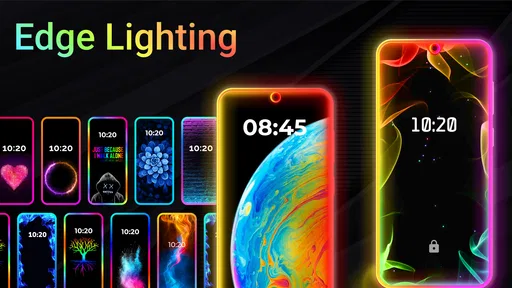
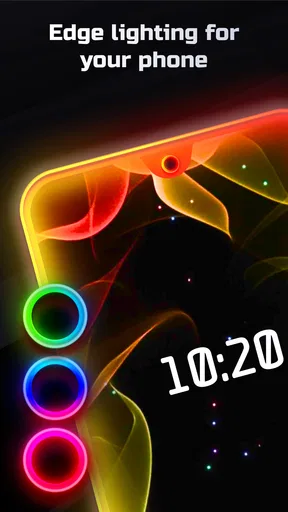
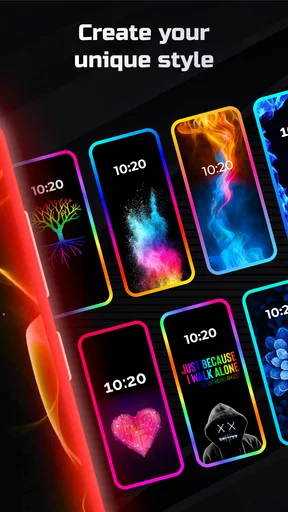
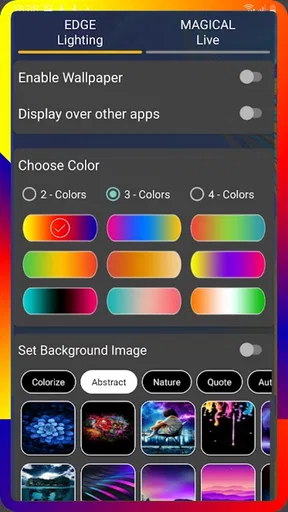
Our Review of Edge Lighting - Borderlight
 Analysis by Appyee
If you're like me and love a little extra flair on your smartphone, then you're going to enjoy what Edge Lighting - Borderlight has to offer. I stumbled upon this app while looking for ways to jazz up my phone's display, and it has certainly added a vibrant touch that I didn't realize I was missing. Let's dive into the nitty-gritty of this app and see what makes it a must-have for anyone looking to personalize their device.
Who benefits most from a glowing border?
I see the strongest appeal here for someone who already likes changing wallpapers and wants the screen itself to feel more distinctive. A border effect can add personality without requiring a new launcher or a complete rearrangement of icons. If you enjoy visual accents but prefer to leave your home-screen layout alone, this is a lighter-touch kind of personalization.
There is a useful trade-off in that simplicity. A bright animated edge draws the eye, so I would choose a restrained color or slower-looking effect for a work phone, shared space, or evening use. The more vivid option may feel fun when you are actively looking at the display, but distracting when the phone sits beside you during a conversation or while you are trying to concentrate.
Getting Started with Edge Lighting
First things first, downloading and setting up Edge Lighting - Borderlight is a breeze. Available on both Android and iOS, you simply head to your app store, hit download, and you're on your way. The app itself is lightweight, meaning it won't take up much space on your device, a relief for those of us constantly battling storage issues.
It is a free personalization app from ZipoApps, with a 4.8 average from around 732,000 ratings and more than 50 million installs. It is rated for Everyone, and the current version is 3.3.17. The app is free to start, though optional in-app purchases range from $0.99 to $149.99 per item, so I would check the purchase details before choosing anything paid.
Once installed, the app greets you with a simple, user-friendly interface. No confusing menus or unnecessary fluff here. It's straightforward, which I appreciate, especially when I'm eager to see those glowing edges in action.
Customization Galore
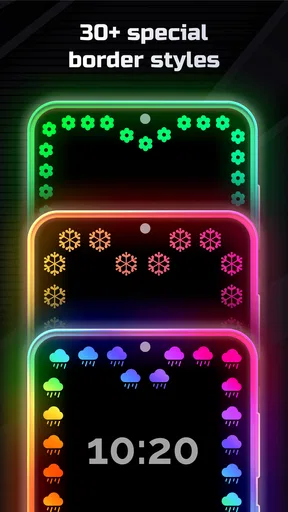
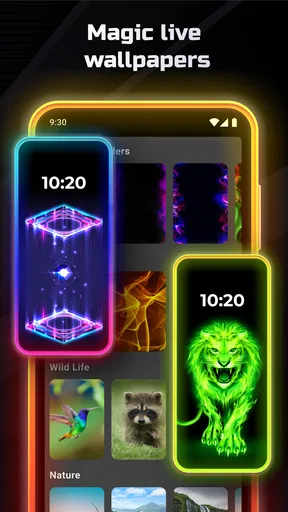
Now, onto the fun part—customization! The app offers a plethora of options to tweak your phone’s edge lighting to your heart's content. You can choose from a range of colors, patterns, and animations. Whether you're a fan of subtle elegance or bold, eye-catching designs, there's something here for everyone.
I particularly enjoyed the rainbow effect, which smoothly transitions through various colors, giving my phone a lively, dynamic look. It's perfect for those days when I need a little pick-me-up. And for those who love to keep things minimal, there are classic options like solid colors and gentle fades.
Making the effect work for your day
For a practical routine, I would treat the border as a visual accent rather than a replacement for checking the phone. For example, if I leave my device on a desk while making dinner, a noticeable edge can help me spot that the screen has changed without constantly picking it up. I would still keep sound or vibration where I rely on it; a visual cue alone is easy to miss if I am across the room or not facing the display.
One small but worthwhile tip is to test a color against the wallpaper and the room where you use the phone most. A pale edge can disappear against a bright background, while a saturated effect may compete with colorful icons. I would also try the look on both a quiet home screen and a busier screen before settling on it. The best choice is the one that remains legible without turning every glance into a light show.
Features That Shine
One of the standout features of Edge Lighting - Borderlight is its ability to work with both your home and lock screens. I was pleasantly surprised to see how seamlessly it integrates with my phone’s notifications. Every time I receive a message or call, the elegant glow around the edges lights up, making it easy to catch alerts without even unlocking my phone.
The app also offers an always-on display feature. Now, I know some might worry about battery life, but the developers have assured that it’s optimized to use minimal power, and honestly, I haven't noticed any significant drain on my battery. It's a small trade-off for such a visually appealing feature.
Readability, movement, and sensory comfort
For readability, I would think of the border as decoration, not information. It may help make the edges of a screen more noticeable, but it does not tell me what a message says or who sent it. If I need to understand an alert without unlocking the phone, the glow can signal activity, while the actual text still depends on the phone’s notification settings and my ability to read the display.
Animated colors may be enjoyable for some people and uncomfortable for others. If you are sensitive to motion, changing light, or visual clutter, a steady, subdued look is the sensible place to start; if even that is distracting, a static wallpaper or no added effect may suit you better. I would avoid relying on a glowing border for an urgent reminder, since it can be overlooked in bright surroundings or when the phone is face down.
For anyone who uses a phone with larger text, magnification, or other display adjustments, it is worth checking the effect after those settings are enabled. Personalization should not make the content harder to see, and a border that feels attractive on one screen setup may crowd another. I would prioritize clear text and comfortable contrast over a more elaborate animation.
Compatibility and User Experience
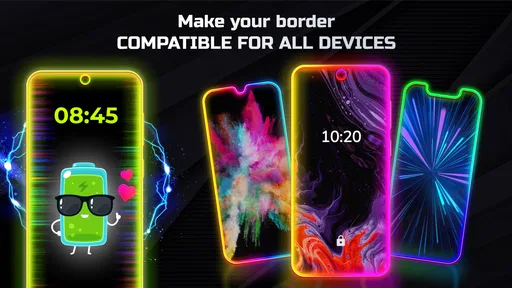
What really sets this app apart is its compatibility. It works seamlessly across various phone models and screen sizes, which is not something every app in this category can boast. I've tested it on a couple of different devices, and each time, it fit perfectly, with no awkward cropping or pixelation.
The developers have done a stellar job ensuring that the app runs smoothly. I haven’t experienced any crashes or glitches, which is often a concern with customization apps. The user experience has been nothing short of seamless, making it a pleasure to use daily.
Where it sits among personalization options
Compared with changing only a wallpaper, an edge effect gives the display a more active frame, especially when the screen wakes for an alert. Compared with replacing a launcher or applying a broader theme, it asks less of someone who wants to keep familiar icons and habits. That makes it a nice middle ground, although it is less useful if your main goal is reorganizing the interface, improving notification details, or reducing visual stimulation.
I would also separate the app’s decorative appeal from the phone’s built-in accessibility and notification controls. Those system tools are the better choice when you need dependable ways to read, hear, or feel alerts. This app is best treated as an optional visual layer that can complement a setup, not as a substitute for tools designed to make essential information accessible.
Remaining limitations and everyday choices
A border effect is inherently screen-focused, so it has little practical value when the phone is in a pocket, inside a bag, or turned away. It can also add visual activity to an already busy display. If you are trying to keep your phone calm and easy to scan, a plain background or a single static accent may be a better fit than animated lighting.
On a typical day, I might choose a subtle solid color while working, then switch to a more colorful look at home when I want the phone to feel less plain. I would review the display after changing wallpapers or system text settings, because those changes can alter how clear the outline feels. And if battery use is a concern, I would compare my own experience with the effect enabled and disabled rather than assume every device behaves the same way.
Final Thoughts
In conclusion, Edge Lighting - Borderlight is a fantastic app for anyone looking to add a touch of personality and vibrancy to their smartphone. It's easy to install, simple to use, and offers a myriad of customization options that cater to all kinds of tastes. Whether you're into bold, flashy designs or prefer something more understated, this app has got you covered.
If you're ready to make your smartphone stand out from the crowd, give this app a try. It’s a small change that makes a big impact, and I have a feeling you'll enjoy it just as much as I do. Happy glowing!
My inclusive take
I would recommend giving it a try if you enjoy visual personalization and can comfortably use animated or colored edges. It is less suited to anyone who needs a guaranteed alert method, dislikes moving light, or wants their phone interface to stay as quiet as possible. Starting with a simple effect and checking it in the places you actually use your phone is the most sensible way to decide.
Verdict
Strengths of Edge Lighting - Borderlight
- Visually enhances screen edges.
- Customizable colors and effects.
- Low battery consumption.
- Works with most apps seamlessly.
- Simple and intuitive interface.
Limitations of Edge Lighting - Borderlight
- Limited preset options available.
- May not work on all devices.
- Occasional flickering issue.
- Ads can be intrusive.
- No advanced customization features.
Other Releases by ZipoApps
View All
Screen Mirroring - Cast to TV
Video Players & Editors4.3

Cut and Paste Photos
Photography4.6

Widgets OS 18 - Color Widgets
Personalization4.7

TIME WARP SCAN: Face Scanner
Photography4.6
Similar Picks in This Category
View All
Microsoft SwiftKey AI Keyboard
SwiftKey4.3

Wallpapers
Google LLC4.1

Zedge™ Wallpapers & Ringtones
Zedge4.7

Yandex Browser with Alice AI
Direct Cursus Computer Systems Trading LLC4.3

Ringtone Maker:create ringtone
Big Bang Inc.4.7

Fonts Keyboard
Fonts Keyboard3.9
Frequently Asked Questions
What is Edge Lighting - Borderlight and how does it work?
Edge Lighting - Borderlight is an app that enhances your phone's visual appeal by adding a customizable border light effect around your screen. It works by displaying colorful animations along the edges of your display, which can be adjusted in terms of color, thickness, and animation speed. It's designed to function seamlessly without draining your battery significantly.
Does Edge Lighting - Borderlight impact battery life?
Edge Lighting - Borderlight is optimized to have minimal impact on battery life. While it does use your screen to display animations, the app is designed to be efficient. However, continuous use with very bright and fast animations may slightly increase battery consumption. It's recommended to test different settings to find the best balance for your device.
Is Edge Lighting - Borderlight compatible with all devices?
Edge Lighting - Borderlight is compatible with most Android devices, but performance and functionality can vary depending on the specific model and screen type. Devices with AMOLED displays often see better results, as the app takes advantage of the deep blacks and vibrant colors. It's always a good idea to check the app description for specific compatibility notes.
Can I customize the colors and patterns in Edge Lighting - Borderlight?
Yes, customization is a key feature of Edge Lighting - Borderlight. Users can select from a wide palette of colors, adjust the thickness of the edge light, and choose from various animation patterns. This allows for a personalized experience tailored to individual preferences and the unique design of your device.
Is Edge Lighting - Borderlight safe to use and does it contain ads?
Edge Lighting - Borderlight is generally safe to use and does not require intrusive permissions. However, as with many free apps, it may contain ads. These ads help support the developers, but if you prefer an ad-free experience, there might be an option to purchase a premium version. Always download from official app stores to avoid security risks.
